A TiDB backup nobody has restored is an assumption, not a recovery plan
· Andres Kepler · TiDB Engineering
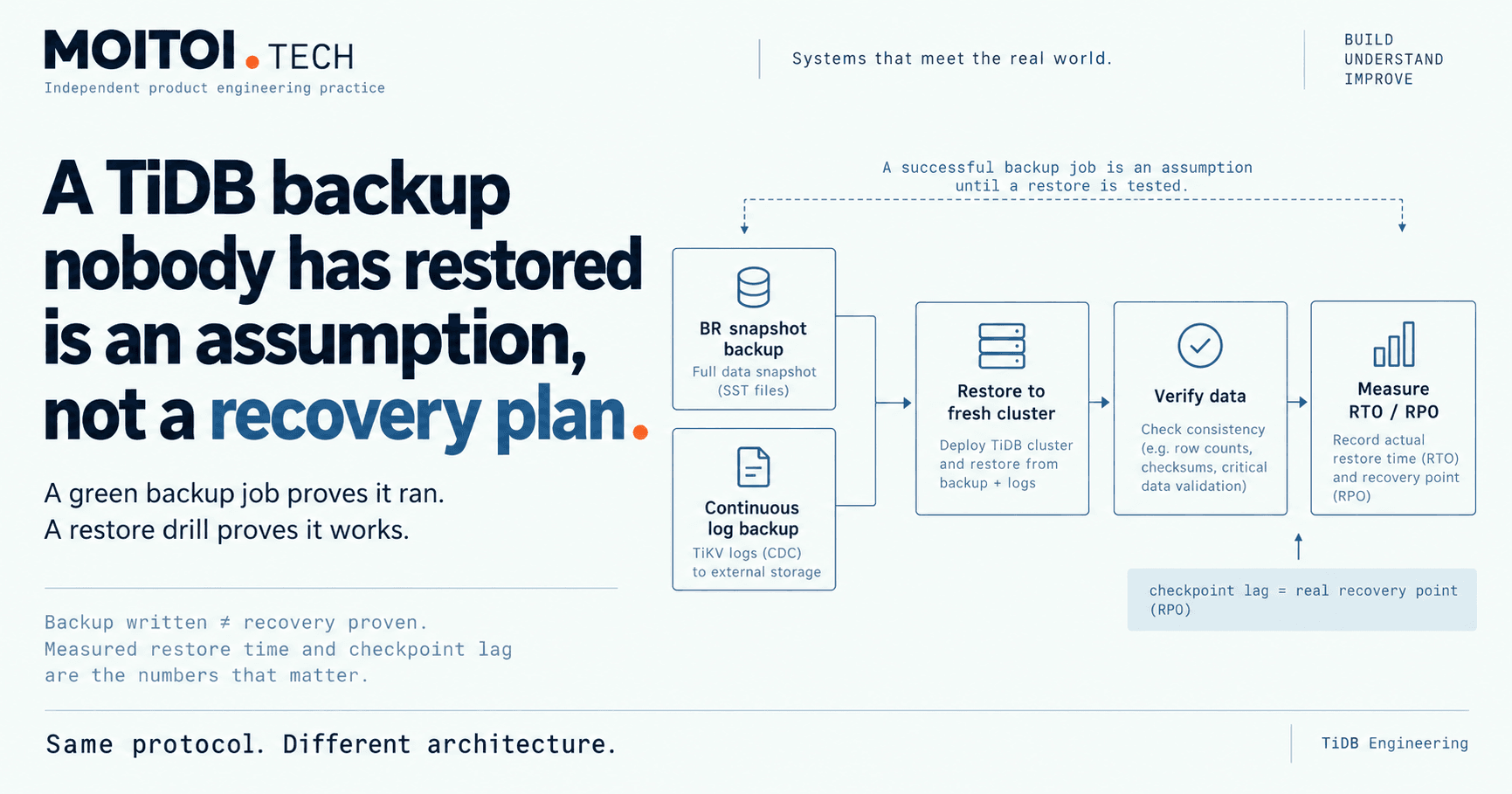
The usual TiDB backup failure is not a missing backup. It is one that has never been restored, so nobody knows whether it works or how long it takes.
A backup job that finishes green every night answers one question: did the job run. It does not answer the two questions the business will ask on the worst day of the year. Does the restore work, and how long will it take?
That is the whole argument of this article. A TiDB backup only counts once a full restore has been run and timed against the recovery time the business assumes. Until then it is a file in object storage and an assumption in someone's head.
What a TiDB restore actually involves
TiDB point-in-time recovery combines two things. The first is a BR snapshot backup: a consistent, physical backup of the whole cluster at one timestamp, written in parallel by the TiKV nodes to object storage such as S3, GCS or Azure Blob. The second is a BR log backup: a continuous stream of changes to the same kind of storage, started once and left running.
To restore to a moment, say just before a bad deploy or a mistaken DELETE, BR restores the most recent snapshot taken before that moment. Then it replays the log backup up to the chosen timestamp. The restore normally goes to a fresh, empty cluster, which is then verified and switched to.
Read that sequence again with a stopwatch in mind. A new cluster has to exist. It has to ingest the snapshot. It has to replay every change since. Someone has to check the data before traffic moves. Each of those steps takes time, and none of that time shows up in a nightly backup report.
The recovery point is bounded by how current the log backup is. The recovery time is bounded by how fast the target cluster can ingest the snapshot and replay the log. Neither number can be read off a backup schedule. Both have to be measured.
Why a green backup job is not enough
The usual failure is not a missing backup. It is a backup that has never been restored, so nobody knows whether it works or how long it takes.
There are quieter ways for the plan to fail as well. A paused or failed log backup task silently stops the point-in-time recovery window from growing. The snapshots keep arriving, the dashboard looks calm, and the window you think you have is not the window you actually have.
This is why I treat log backup checkpoint lag as the number that matters. It tells you how far behind the present the log backup is. That lag is your real recovery point, and it should alert. Next to it I want the log backup task status, snapshot backup success and duration on a schedule, and storage retention matched to how far back you need to go. Snapshots and logs older than the recovery window cost money and protect nothing.
Monitoring tells you the backup is being written. It still does not tell you it can be read back in time.
The restore drill
A restore drill answers both open questions at once. Restore to a scratch cluster on a schedule. Check the data. Record how long the restore took against the recovery time objective, and record the checkpoint lag against the recovery point objective.
The commands are not the hard part. Log backup is started once with br log start and keeps running. A point-in-time restore is one br restore point call that names the snapshot storage, the log storage and the target timestamp. The hard part is deciding that the drill is a recurring job with an owner, not a one-off test run during the original setup.
The output of a drill is two measured numbers. One is how long a full restore of this cluster takes today. The other is how far behind the log backup was at the moment you chose. Put those next to the RTO and RPO the business already assumes. If they match, the backup counts. If they do not, you have found the gap on a calm afternoon instead of during an incident.
Dumpling has its place for migrations, audits and small datasets, but it is not a fast way to recover a large cluster. For recovery, the snapshot plus log path is the one to drill.
The full guide, with the BR commands and what to monitor, is at https://moitoi.tech/tidb/backup-and-pitr
The detail: moitoi.tech/tidb/backup-and-pitr · Discuss it on LinkedIn